Understanding Object-Oriented Programming in JavaScript

When we start learning JavaScript deeply, we often hear about Object-Oriented Programming (OOP). At first, it may sound like a complicated concept, but the idea behind it is actually simple.
Object-Oriented Programming is a way of organizing code so that we can reuse it easily and keep our programs structured. Instead of writing separate code again and again, we create a blueprint and then build multiple objects from it.
In this article, we will understand the basics of OOP in JavaScript with simple examples.
What Object-Oriented Programming (OOP) Means
Object-Oriented Programming is a programming style where we use objects to represent real-world things.
An object usually contains two things:
Properties -> information about something
Methods -> actions that object can perform
For example, if we think about a student, the student can have:
Properties:
- name
- age
Methods:
- studentDetails
const studetObj={
name:"jack",
age:23,
studentDetails(){
console.log(this.name,this.age)
}
}
So instead of writing separate variables and functions, we group them together inside an object. This concept is called Object-Oriented Programming.
Real World Analogy: Blueprint → Objects
To understand OOP better, let's take a real-world example
Imagine a car factory.
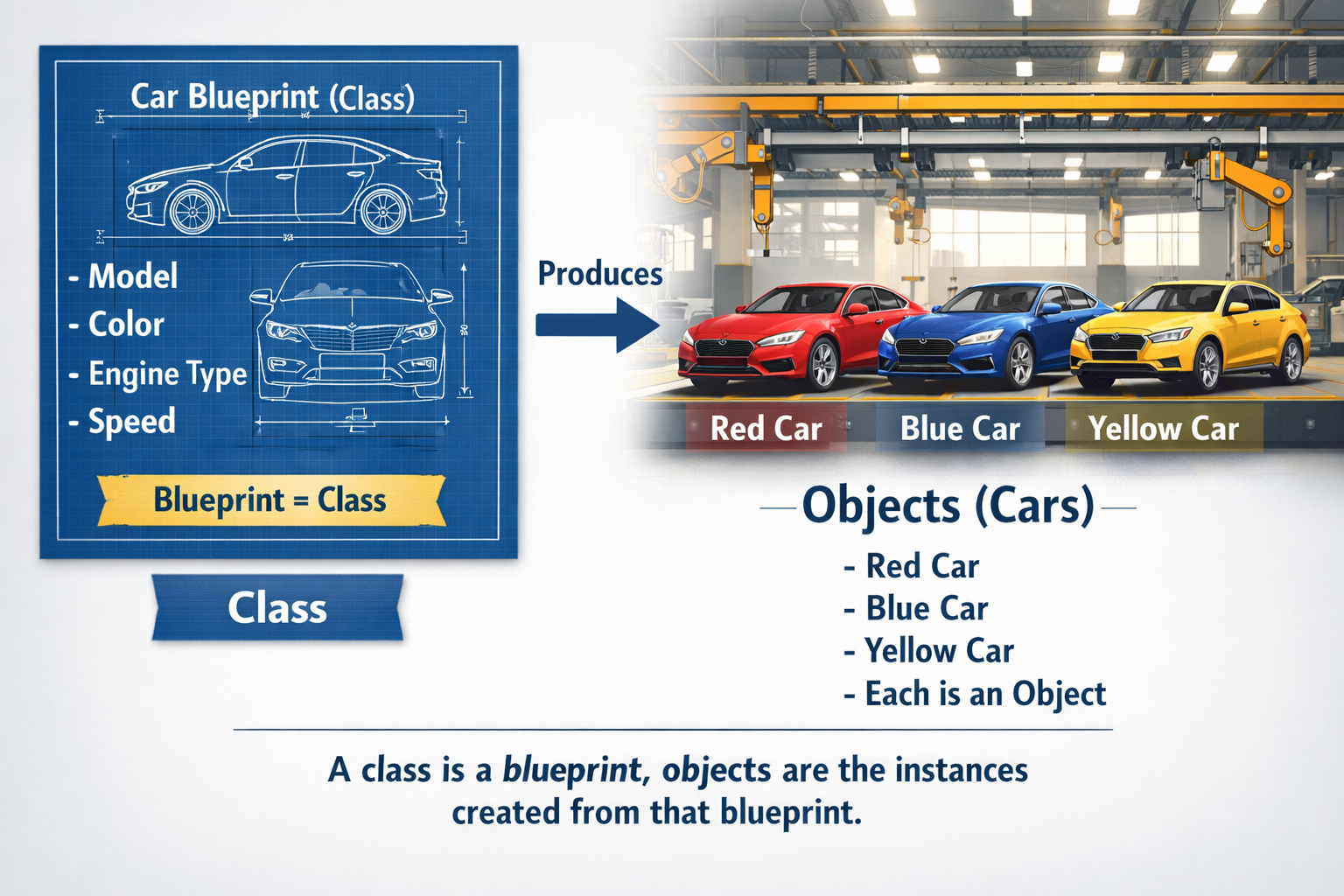
Before producing cars, engineers first design a blueprint. This blueprint defines things like:
model
color
engine
type
Using this blueprint, the factory can produce many cars.
Each car is a separate object, but all of them follow the same blueprint.
In programming terms:
Blueprint → Class
Cars → Objects
So a class is a blueprint, and objects are the actual things created from that blueprint.
What is a Class in JavaScript
In JavaScript, a class is used to create objects.
A class defines:
what properties an object will have
what methods an object can perform
Think of a class as a template for creating objects.
For example, we can create a class called Student.
This class can define that every student should have:
name
age
a method to show student details
Then we can create many student objects using this class.
class Student {

}
This creates a class called Student, but right now it doesn't contain anything. Next we will add properties and methods.
Creating Objects Using Classes
Once a class is created, we can create objects from it. These objects are also called instances of the class.
In JavaScript, we create objects using the new keyword.
example.
class Student {
}

const student1 = new Student();
const student2 = new Student();
Here:
1. student1 and student2 are objects
2. both are created from the Student class
Each object follows the same structure defined by the class.
Constructor Method
A constructor is a special method inside a class.
It runs automatically when a new object is created.
We use the constructor to initialize object properties.
class Student {
  constructor(name, age) {
    this.name = name;
    this.age = age;
  }
}
Here:
1.constructor(name, age) receives values
2. this.name stores the name of the student
3. this.age stores the age of the student
Now when we create objects, we can pass values.
const student1 = new Student("Rahul", 20);
const student2 = new Student("Priya", 22);
const student3 = new Student("Amit", 21);
Each object now has its own data.
Methods Inside a Class
A class can also contain methods.
Methods are simply functions inside a class that define what the object can do.
class Student {
  constructor(name, age) {
    this.name = name;
    this.age = age;
  }

  showDetails() {
    console.log("Name:", this.name);
    console.log("Age:", this.age);
  }
}
Now we can call the method using the objects.
Example -
const student1 = new Student("Rahul", 20);
const student2 = new Student("Priya", 22);

student1.showDetails();
student2.showDetails();
Output:
Name: Rahul
Age: 20

Name: Priya
Age: 22
Each object uses the same method but prints its own data.
Basic Idea of Encapsulation
Encapsulation means keeping related data and functions together inside a class.
In the Student class example:
1. name and age are properties
2. showDetails() is a method
All of them are grouped inside the Student class.
Example:
class Student {
  constructor(name, age) {
    this.name = name;
    this.age = age;
  }

  showDetails() {
    console.log(`\({this.name} is \){this.age} years old`);
  }
}
Here:
1. data and behavior are organized in one place
2. this makes code clean and easier to maintain
Object-Oriented Programming is a powerful way to structure JavaScript applications. By using classes and objects, developers can represent real-world entities and build reusable code.
Concepts like classes, constructors, methods, and encapsulation help organize programs and make them easier to manage.